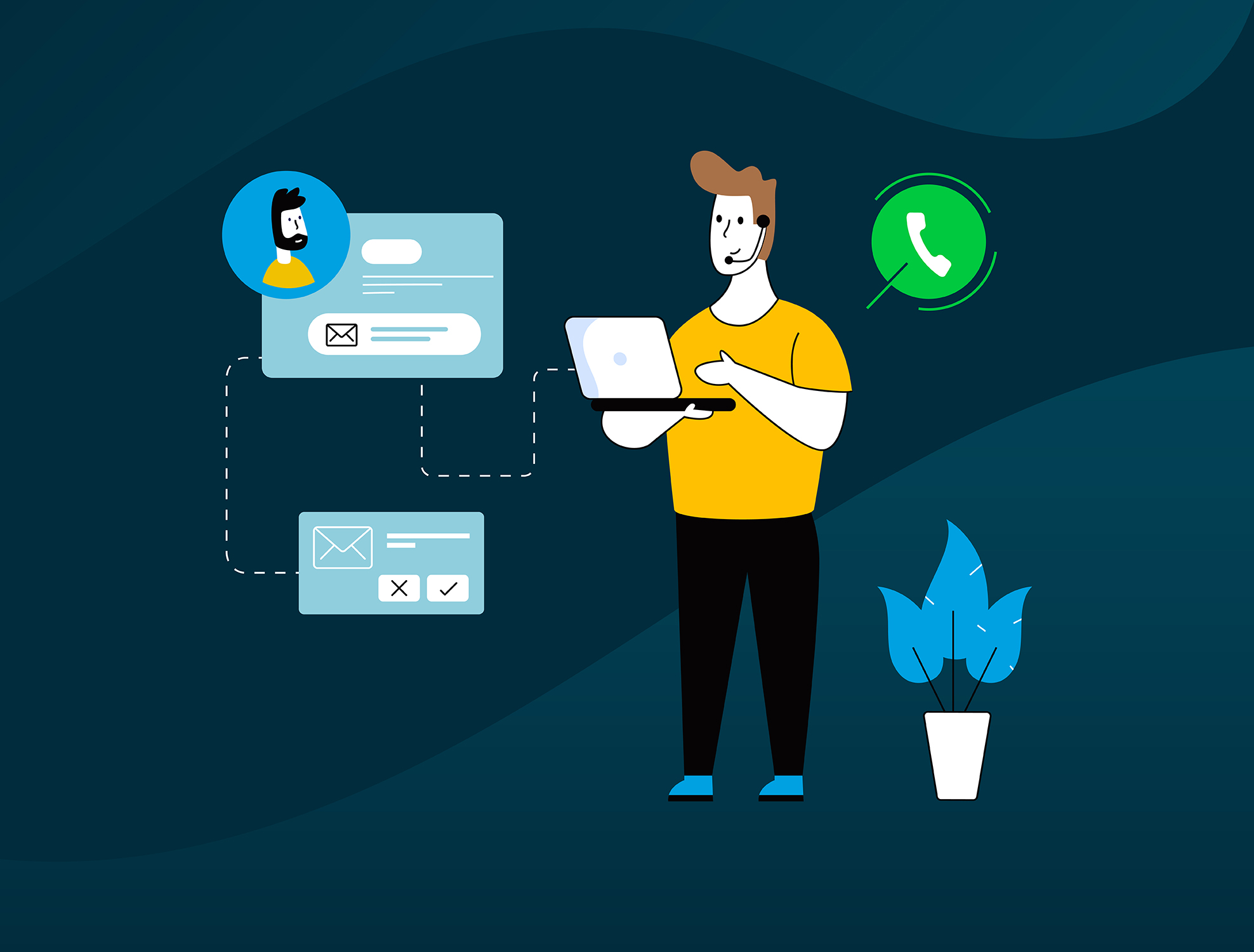
We all know how a CTI works, right? Integrating all call controls within a business application so agents don’t have to constantly switch between screens to lead contextual and personalized interactions with customers.
Salesforce Connect from NovelVox works like that except it’s the other way around.
Let us explain.
With 22% of market share, Salesforce is one of the most used CRMs worldwide. With such wide-spread use of the CRM, there are bound to be some complications, especially around seamless workflows. This is where CTI integration comes in. Or, alternatively, Salesforce Connect.
As explained above, Salesforce Connect works like CTI integration except it brings the entire functionalities of Salesforce to the contact center and not the other way around.
What is Salesforce Connect?
Salesforce Connect is a widget developed by NovelVox that puts the entire functionalities of Salesforce into a compact window and integrates it within any contact center interface. How does that help? It practically eliminates the need for screen toggling during customer interactions and empowers agents to make full use of Salesforce without having to switch to the CRM.
So as an agent makes or receives a call from a customer, they have the resources to handle customers, resolve queries, and deliver optimum service all within the contact center interface. Salesforce Connect from NovelVox takes into account all fundamental functionalities that an agent might need and incorporates them into the widget to ensure a quick and uninterrupted workflow.
For instance, Salesforce Connect supports both contact-based data and account-based data, enabling agents to access all relevant data within one place, promoting efficiency and connected workflow.
Agents are also allowed to make changes directly in the Salesforce Connect interface which updates into the CRM in real time.
We will be discussing more on Salesforce Connect features in the later part of this blog. For now, let’s understand how Salesforce Connect fares against CTI integration.
Salesforce Connect vs. CTI Connectors
So, what’s really the difference between the two?
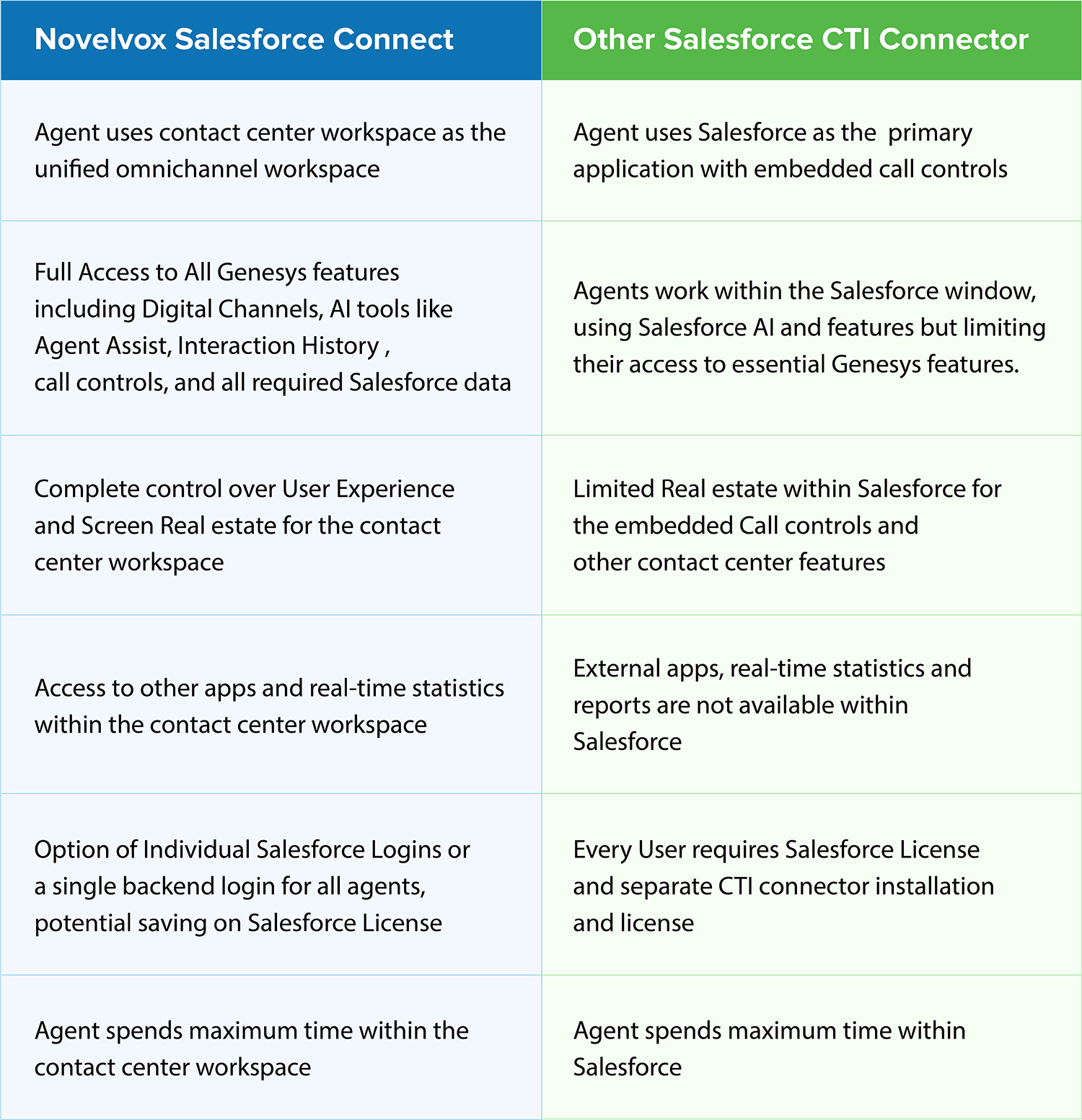
Salesforce Connect is an extension of Salesforce itself (complete with its functionalities) integrated within a contact center or UC workspace. This gives agents complete access to both Salesforce and the contact center features, ensuring streamlined workflows and connected experience.
CTI, on the other hand, offers fewer accessibilities. For instance, you can only bring the telephony features to your Salesforce CRM. Although this enables agents to make or receive calls directly from within the Salesforce interface, it keeps agents from using essential contact center features such as AI Agent Assist which can come in handy during customer interactions.
As Contact Center providers increasingly add cutting-edge tools to cater to the ever-changing needs of customers, it is crucial that agents make use of such tech. Nevertheless, with CTI integration, the entire functionalities of contact centers are reduced to calling, which can be unidealistic in certain scenarios.
Salesforce Connect Features
Essentially, Salesforce Connect offers all the features that come with Salesforce. In fact, Salesforce Connect is an emulator that puts entire Salesforce functionalities into a window within the contact center interface.
◉ Configurable Screen Pop: Configure Salesforce Connect to Screen Pop the information you want and when you want.
◉ Global Search: Search contacts or accounts directly within the Salesforce Connect and get quick access to all required information.
◉ Automatic Task Creation: Salesforce Connect automatically logs calls after each interaction as soon as the call ends.
◉ Display Cases, Tasks and Opportunities: Access cases, tasks, and opportunities for each contact or account within the Salesforce Connect.
◉ Create and Edit cases: Create cases or edit cases as per your need without having to switch to Salesforce.
◉ Create/Edit Contacts or Accounts: Directly create or edit contacts or accounts from the Connect interface itself.
◉ Cloud based: Experience more flexibility and reliability, increased performance and efficiency at lower cost.
Why Would You Choose Salesforce Connect?
Alright, so from what we have explained so far, you can see that a CTI Connector Salesforce would give you pretty much the same functionalities. So, why would you choose Salesforce Connect instead of integrating telephony within Salesforce CRM?
The answer is simple: To make use of the contact center functionalities.
Contact Center providers have been increasingly bringing brand new cutting-edge features to empower agents with the ultimate customer service tool.
| 💡 Learn more | Everything You Need to Know About Salesforce CTI Integration |
Conclusion
At the end of the day, both CTI connectors for Salesforce and Salesforce Connect will help achieve similar goals. The difference or the preference comes down to whether you want the agents to work in Salesforce workspace or make use of the contact center workspace.
As contact centers bring Artificial Intelligence, Machine Learning, and other cutting-edge technologies to the fold, agents prefer to remain within the contact center workspace for improved collaboration and greater productivity.
Not to mention, AI and automation baked into the contact center workspace helps streamline routine tasks and provides agents with real-time recommendations and assistance.